User Permissions & Roles
You have a lot of control over who in your organization can access what in the system.
The Scheduling platform has a built-in user permissions module that allows you to set user permissions on a per-employee basis. You can also create 'roles', with pre-built rules that you can then apply to a user.
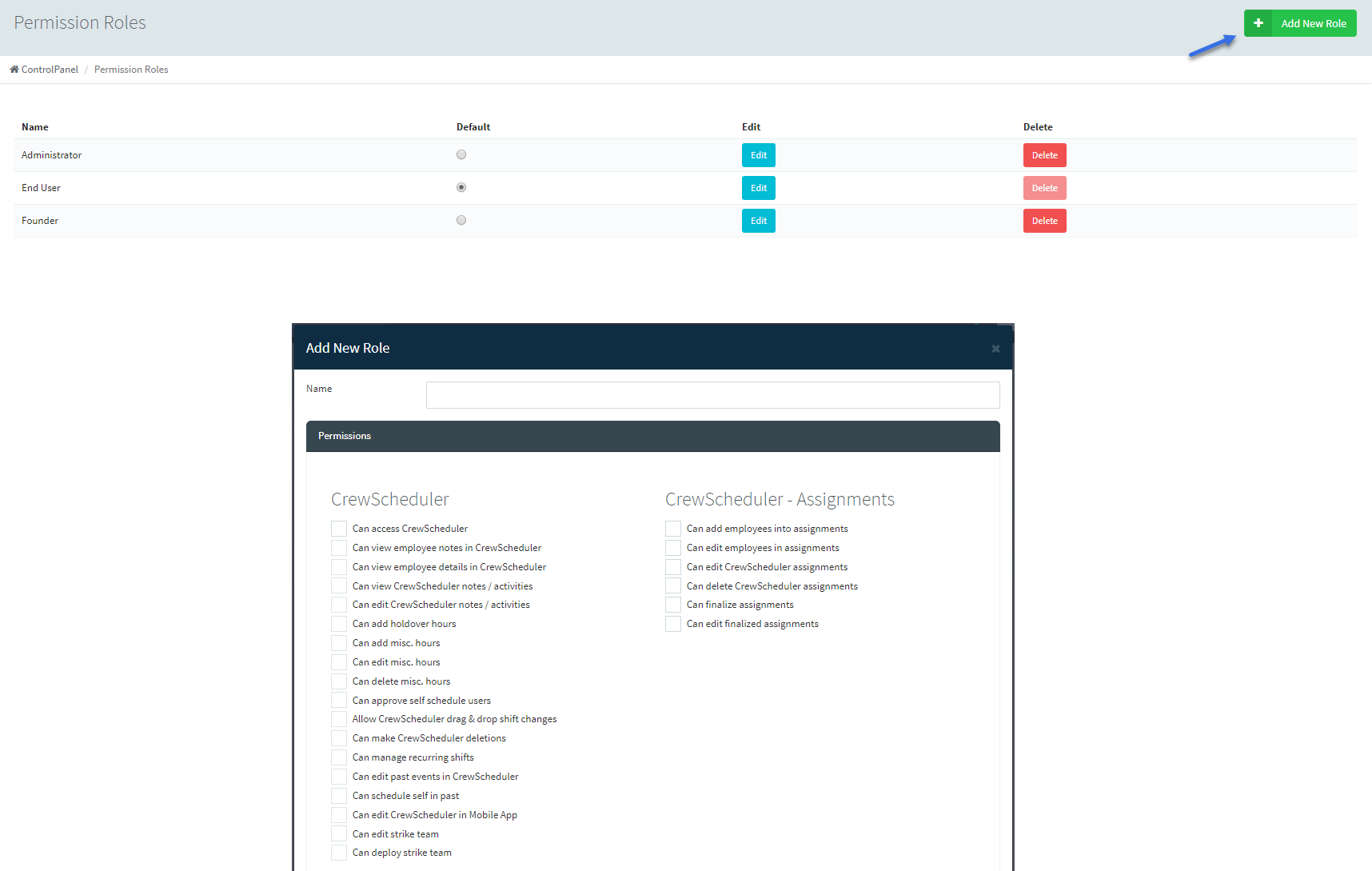
To manage your permission roles, navigate to Employees > Manage Roles.
Here, you can create new and edit existing permission roles.
Within the Edit function, you will be able to select and deselect the permission(s) you would like the employees with that role to have:
Within the Edit function, you will be able to select and deselect the permission(s) you would like the employees with that role to have:
To add a new role, simply click the +Add New Role button at the top right of your screen. Name your new role, select the permissions you would like this role to have, and select save.

Applying Permission Roles to Employees
To apply a permission role to multiple employees, navigate to your Add/Edit Employees section.
Select the checkbox next to employees you wish to apply a permission role to, choose Change Role from the first drop-down menu, select the permission role in which to apply from the second drop-down menu, then choose Batch Apply.
Select the checkbox next to employees you wish to apply a permission role to, choose Change Role from the first drop-down menu, select the permission role in which to apply from the second drop-down menu, then choose Batch Apply.
Permission roles can also be applied within an employee's profile, under List(s)/Groups/etc: 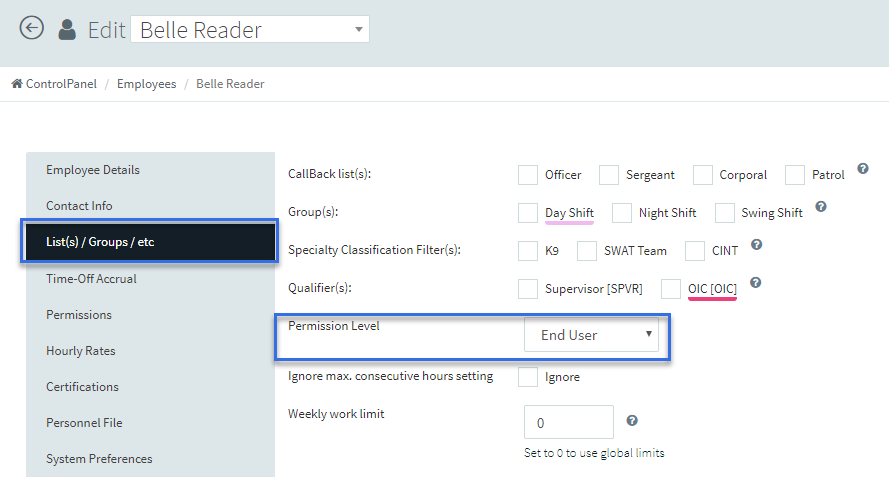
You may also choose to add or remove permissions on a one-off basis. To do this, navigate to the Permissions tab within an employee's profile.
Here, you can see any permissions the specific employee has within their given permission role.
 Note: Setting individual permissions within an employee's profile will override the role you have applied to them.
Related Articles
User Permissions Key
The Scheduling platform has a built-in user permissions module that allows you to set user permissions on a per-employee basis. In this article, we have put together a 'Key' for you to refer to when deciding which permissions you'd like to enable for ...Mobile App Quick Start Guide - Canadian End User
Welcome to Scheduling! There is a lot to learn, we know! This guide is meant to help you wade through the waters of the scheduling Mobile App, with only the options you need to know. First you will want to download the scheduling mobile app on your ...User Selectable Home Page
Users are able to select exactly which page they wish to be routed to when they first log in. Administrators can also select their pages. To Select your Page: Go to your user name and select Edit Profile Scroll down to the bottom of your profile and ...Adding Employees Into System
Adding an employee to the scheduling System is fairly straightforward. To add an employee, click Employees in the left hand module menu, and then add / edit Employees. From there, we will click + Add User in the upper right hand corner of your ...Edit User Profile
Users may choose to update their personal profiles at any time, simply by clicking their name in the upper left corner and choosing "Edit Profile." Here, users can change their personal details, update their phone number and preferred contact methods ...